
Sage Intacct Aging Report and General Ledger Variances
Sage Intacct account payable and accounts receivable modules streamline many process but can be thrown out of balance by a few, simple to prevent entries.
View this Sage Intacct step by step software tip in a video format (5:54)
View this Sage Intacct step by step software tip with individual screen shots below.
To begin with, how do you know if the modules are off from the general ledger?
First, we will run the trial balance in the General Ledger.
- General Ledger > All > Trial Balance
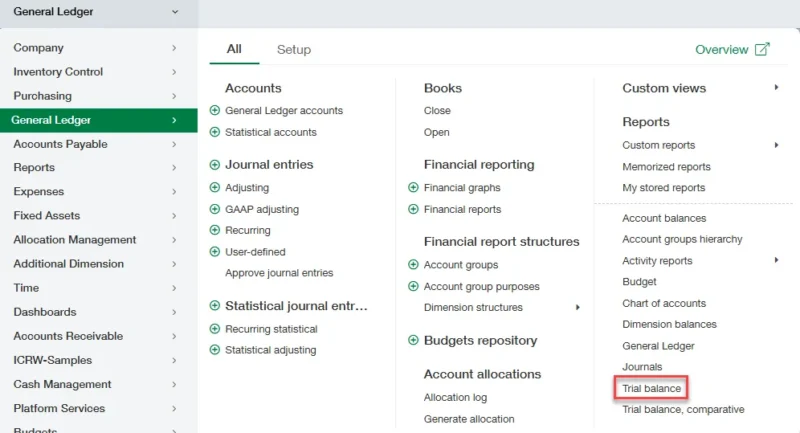
- Run for the current period and review the ending balance for AP/AR:
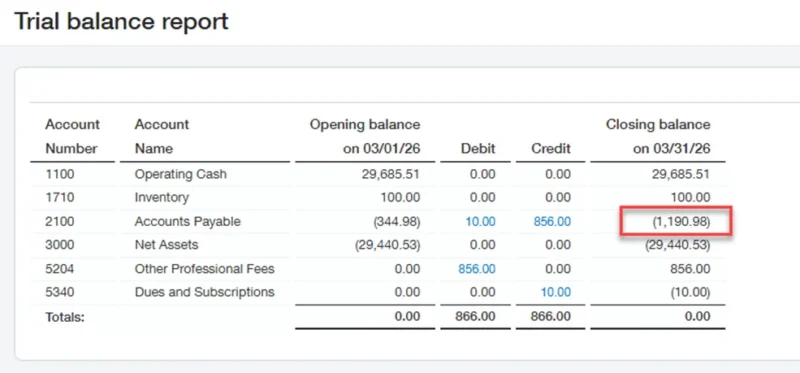
- This amount should match your AP aging report for the same date.
Next, we will run our AP aging.
- Accounts Payable > All > Vendor aging > Report

- Compare the total to the trial balance.
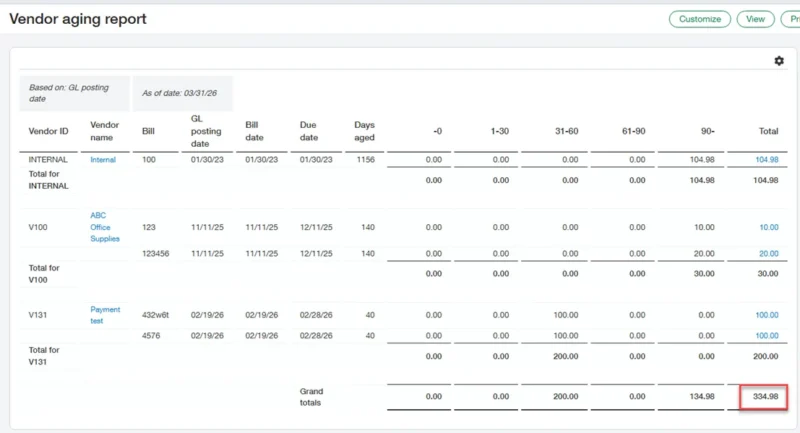
Since we see a difference here let’s review the GL from the trial balance.
- In the trial balance, select the debit or credit to open the general ledger drill down report.
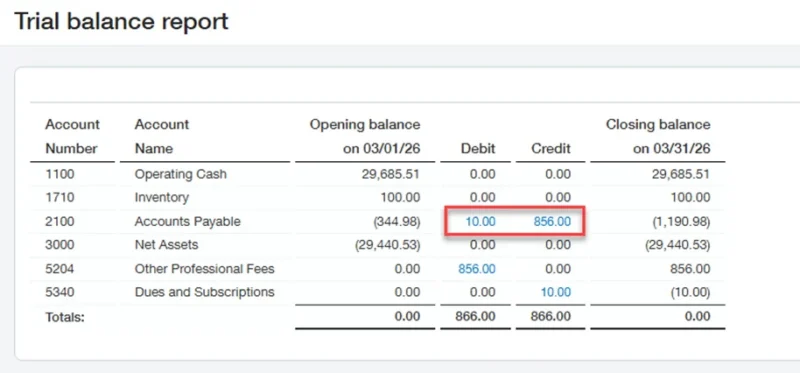
- Here we see two manual entries, one in the GJ and one in the APJ. Both are causing variances in the AP aging.

- When you drill down into one of the manual entries, you will be able to reverse the entry.
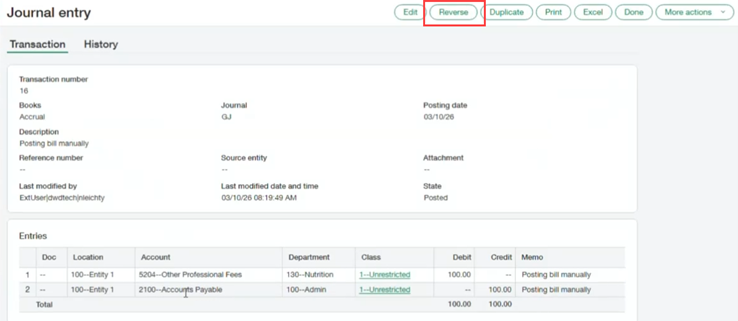
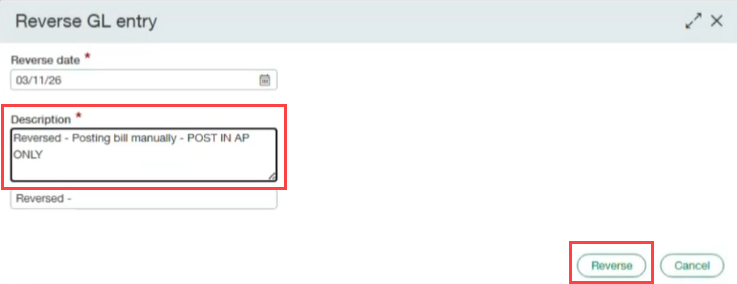
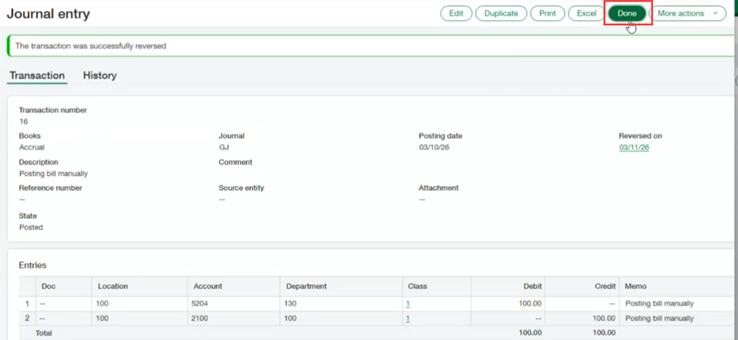
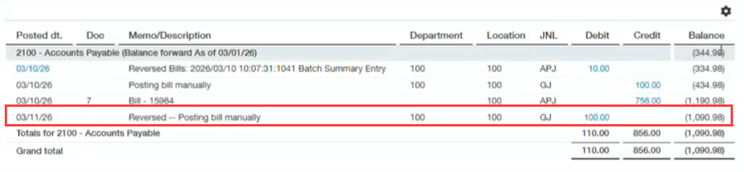
- Select done. You will then see the reversal.
To prevent this, we will need to update two settings. The first we will update is the GL accounts.
- General Ledger > All > General Ledger accounts

- Here we will edit the AP account.

- Now we will select the box to disallow direct posting. Do the same for the AR account.
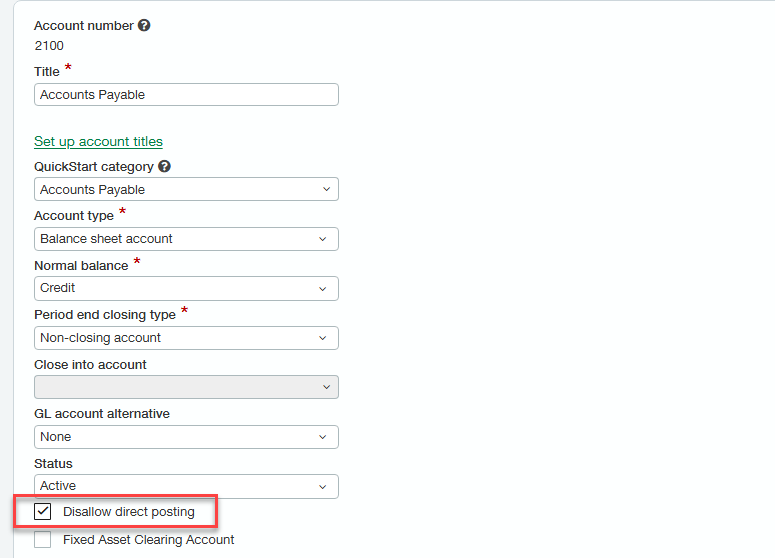
- Posting to these accounts is now blocked for direct entry and will only be allowed for transactions from the AP and AR modules.
The second setting we will need to update is in the journals.
- General Ledger > Setup > Journals
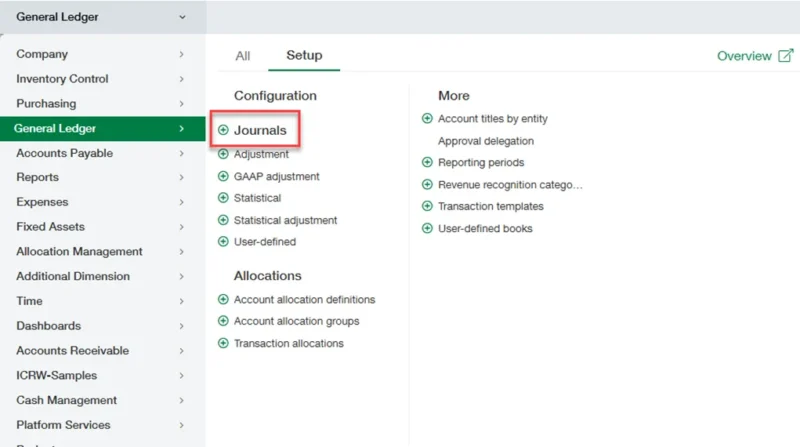
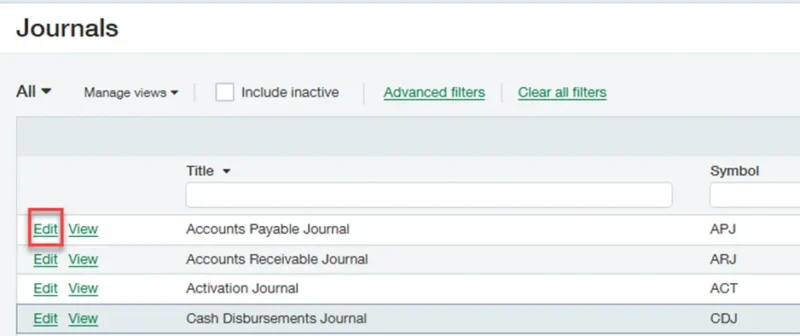
- Here we will edit the APJ.
- Next, we will update the disallow direct posting box and save our changes. Lastly, do the same for the ARJ.
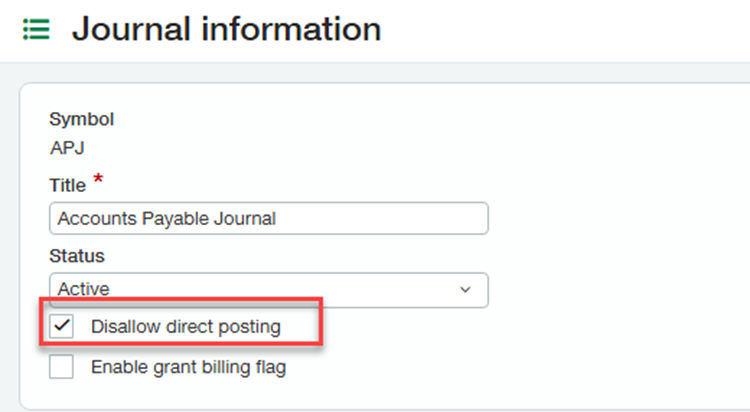
With these changes we will prevent the most common causes of AP and AR variances. These changes serve to create a more secure environment by preventing entries posted directly into sensitive accounts and journals.
If you need assistance with your Sage Intacct software or have any other Sage Intacct questions, please contact our Intacct support team at 800.232.8913.
Register for our Sage Intacct newsletter today!
Copyright 2026 DWD Technology Group | All rights reserved. This article content may not be reproduced (in whole or in part), displayed, modified or distributed without express permission from the copyright holder.
About the Author: Nathan Leichty, CPA