
Sage Intacct CSV Data Import Process
The Sage Intacct CSV import service can be used to import a wide variety of data into your Intacct Environment. The CSV import service provides a reliable way to enter a large amount of data in a short period of time. Today we will be using the CSV import service to import journal entries.
View this Sage Intacct step by step software tip in a video format (6:14)
View this Sage Intacct step by step software tip with individual screen shots below.
CSV Imports
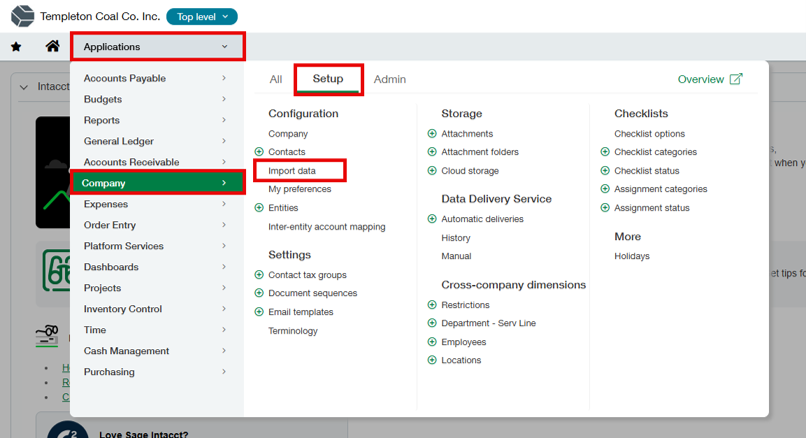
We will begin by navigating to the import data tab.
- Applications > Company > Setup > Import Data
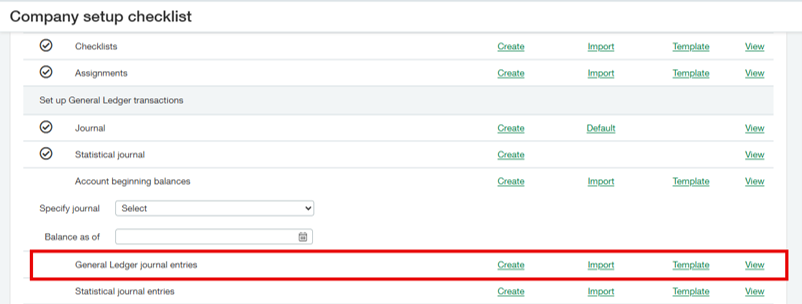
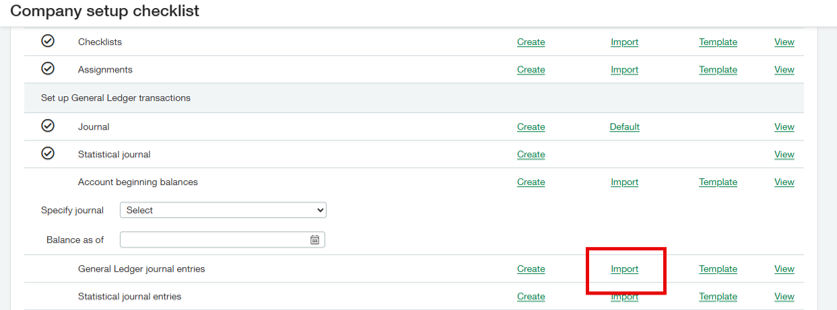
- Scroll down to “General Ledger journal entries.”
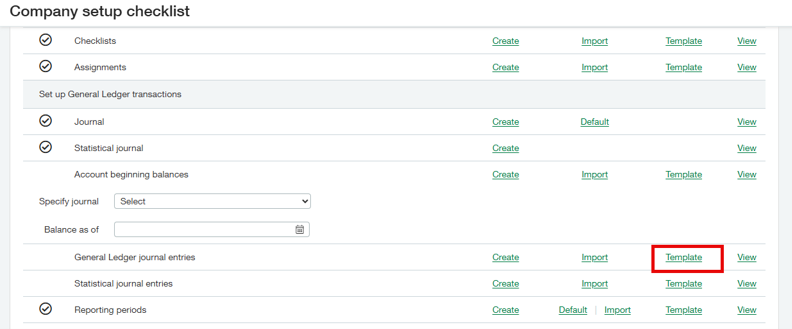
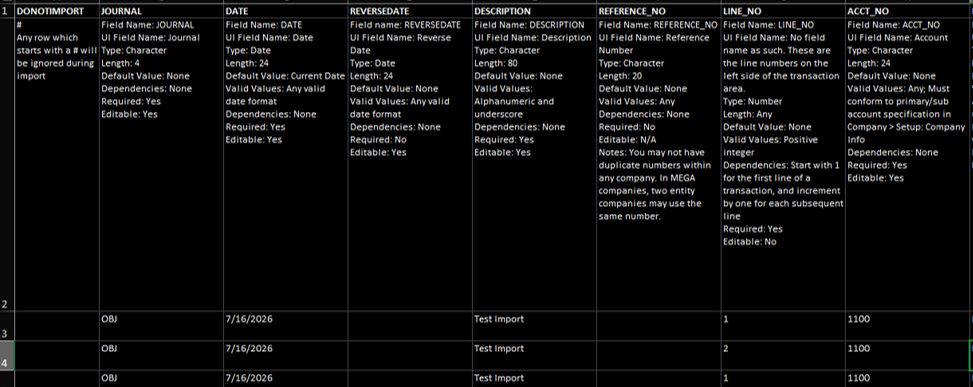
- Select the template hyperlink and open the file once downloaded.
- Note which fields are required, which is shown in the description box in row 2.
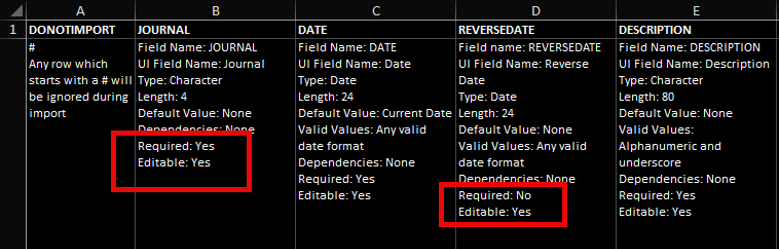
- Fill in your data.
- Save your file as a csv.
- Select the import link.
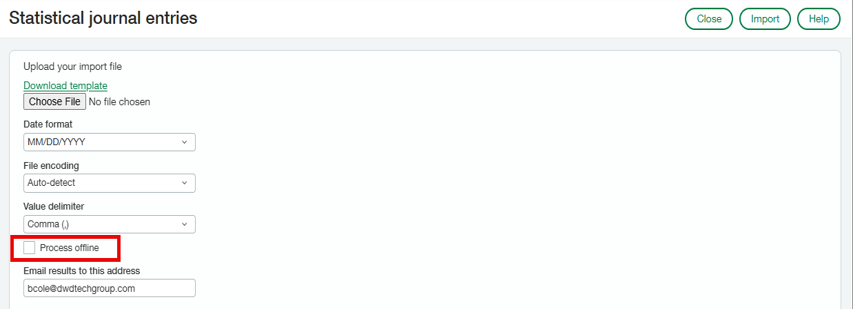
- Choose your file and select if you would like to process the file online or offline, then select import.
- Use online processing for small files and offline processing for large files.
- After importing you will receive an email with the status of your import.
- A sample error email is shown below; the email will contain an error code and description.
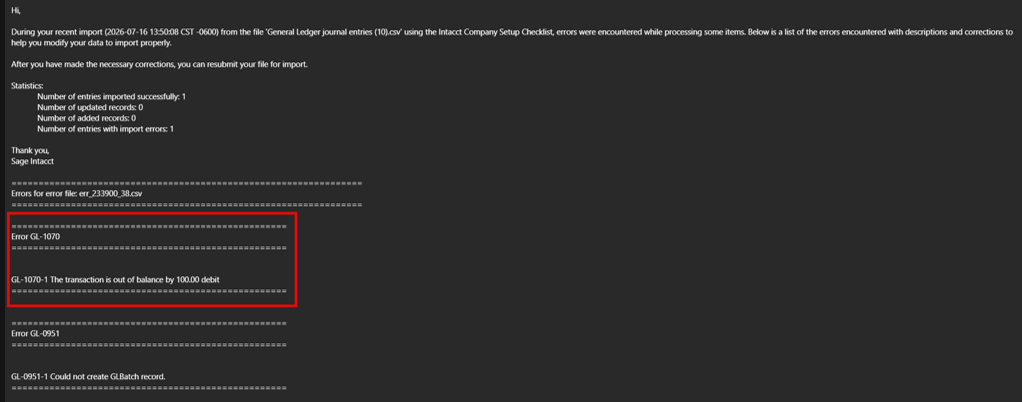
- Once the error is fixed, you will then repeat the steps listed above.
Sage Intacct’s CSV Import service provides a fast and efficient way to import journal entries and other data. By using the provided template, completing the required fields, and reviewing any import errors, you can streamline data entry and quickly resolve issues when they arise. With the right setup, CSV imports can help save time and improve accuracy in your Intacct environment.
If you need assistance with creating transaction allocations in Sage Intacct or have any other Sage Intacct questions, please contact our Intacct support team at 800.232.8913.
Register for our Sage Intacct newsletter today!
Copyright 2026 DWD Technology Group | All rights reserved. This article content may not be reproduced (in whole or in part), displayed, modified or distributed without express permission from the copyright holder.
About the Author: Brian Cole

